
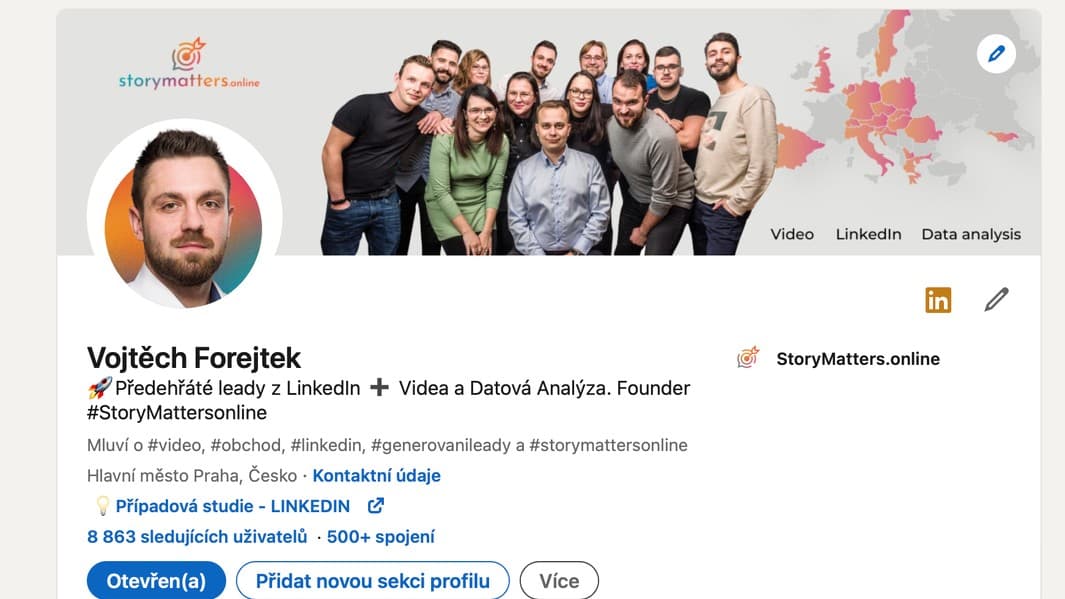
We could write a book about optimizing your profile on this network. But who would be interested in reading it? From a technical standpoint, only five buttons are truly important:
1) You'll get over 50% of the results by using this one alone:

The more information you share with LinkedIn about yourself, the more this network likes you.

Try to fill out at least the "Core" and "Recommended" sections. Or at least don't be surprised if your profile gets a low orange rating.
2) Now the second most important button is this small gray pencil symbol:

Use it to write a clear headline and add a link to your website.
3) The third most important button can be a bit hard to find:

Here it is.

You need to check it to make sure your profile information is visible to other users.
4) Now here are a few more buttons to watch out for:


In case you are actively looking for employees/selling/offering a job.

In case you want to get more readers for your posts.

Click here and select Settings & Privacy if you want to configure advanced privacy settings, etc.

Go to your client's profile and click this to ask them for a recommendation. You must be connected on LinkedIn for things to happen.

And step zero!
Don't overlook step 0.
Add a clear picture of yourself there. Otherwise, people won't be very keen to connect with you. A big banner behind you isn't that important to people, but the LinkedIn algorithm will be grateful for it.