
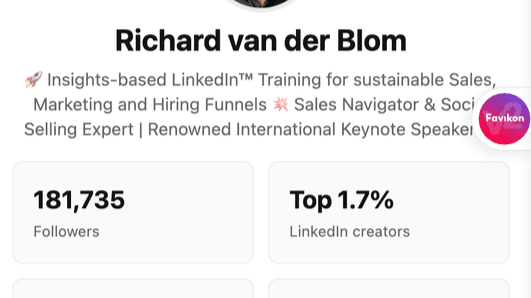
Use the Kleo extension for Google Chrome. Go to your competitor's profile, for example someone you consider successful and better than you, and study how they managed to achieve greater success on LinkedIn than you:

Here you can see almost all the posts that Richard published on LinkedIn, and sort them by number of likes or comments.
Nice, right?
So if you're trying to become a LinkedIn communication star, you can easily learn how Richard became successful.
Now for the obvious shortcoming:
For various reasons, Kleo cannot explore all posts, only most of them.
You may have a different target audience than Richard, which means what works for him may not work for you.
Copying another person without your own innovation is stupid and won't work as well.
But that's obvious, isn't it? I don't like haters of individual tools like Kleo, Sales Navigator, Social Selling Index, etc., who label the entire tool as non-functional because of a few obvious shortcomings.
Oh, it's very functional: study dozens of your relevant competitors this way, copy only the things that align with you, and do it your way.
Kleo is one of the most effective tools for data analysis on LinkedIn and unlike others, it's free.
Now let's look at other possibilities of this particular tool.
Want to see Richard's post on a specific topic? No problem:

Need to see posts only for a specific time period? Ok..

Need a general understanding of trends on their profile? Yes, you can see them.
Just keep in mind that Kleo makes mistakes with the date from which a person started posting. And that it shows you the person's relative position among the creators it knows, not among all creators on LinkedIn.


Now for the fun part – comparison. We can see that Richard uses carousels and images a lot and gets an average of 628 interactions per post. What about Sergej?


Well, Sergej relies more on videos and less on carousels. And has ten times fewer interactions on posts. But it's probably not because carousels are so much more powerful than videos.
And after all, this is data over a long period. What about current data?
Richard in February:

Sergej in February:

Collecting the mentioned data is important, but not enough. You also need to analyze and correctly interpret the data.
I've shown you one of the possible tools for data collection. Its main advantages are ease of use and price. My team uses it from time to time, but we also use tools like Favikon. It's much more expensive and time-consuming. But our job is to use the best available tools and compare their results.
And don't forget that the best "tool" on LinkedIn is hard work, sharing valuable content, and staying authentic.